
Search K
Appearance
Released: 2023-10-03
With this release Evolution skin is finally upgraded to use lastest vue.js version 3 framework.
Previous versions used vue.js 2 which is bound to become EOL at the end of 2023. Upgrade to the next major vue.js version means it will continue receiving updates and improvements.
This upgrade required a lot of internal Evolution skin changes and even changing or updating other 3rd party libraries. This also helped us find and fix some long standing bugs.
In the end Evolution is now faster, more robust and easier to add new or improve existing features.
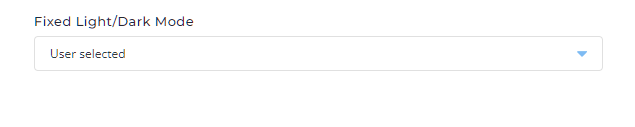
New global customization option was added in the login page customization section (Admin level Admin Tools > Customize Evolution Skin > Login Page > Styles) which allows to disable Evolution Light/Dark mode selector.
There are three possible value for this option:
This option affects both login page and rest of the application after login.
exim updated from 4.96.1 to 4.96.1-7-g79877b70ePHP 8.1 updated from 8.1.23 to 8.1.24PHP 8.2 updated from 8.2.10 to 8.2.11snuffleupagus updated from 0.9.0 to 0.10.0imagemagick updated from 7.1.1-15 to 7.1.1-19composer updated from 2.6.3 to 2.6.4Note: IMAP library for PHP extension was renamed from imap to wu-imap in the versions.txt.
Old session cleanup logic is improved. It runs in the background thread and periodically remove expired sessions instead of checking for sessions to be removed on each login attempt.
Periodic old session removal thread will report its results in DirectAdmin service log. It will report the amount of time it took to clean-up old sessions and number of expired sessions that were removed. Example log file entry:
removed old sessions duration=284.613µs removed=1Cpanel import tool used only a single threaded gzip for a backup compression during the conversion phase. This change adds pigz support to the compression part to utilise multiple threads and speed up the import.
For very large user.list files, deletion of a User could result in a race condition if other process tries to add a User near the same time causing missing data.
task.queue call to rebuild all lists from scratch.users.list has been written to after this process read it. Not going to overwrite it. warnings.id field in plugin.conf update Plugin configuration file plugin.conf used to have mandatory field id with the plugin name. Starting this release this field is ignored (and can be omitted from plugin.conf file). Plugin ID will always be the name of plugin directory inside the /usr/local/directadmin/plugins.
Building 3rd party software requires some packages from the PowerTools repository, which is not enabled on RHEL based systems by default.
This repository has different names depending on linux distribution (for example powertools, PowerTools, cloudlinux-PowerTools, ...) so CB performs automatic repo name detection by searching the contents of /etc/yum.repos.d directory.
Previous version used to check all the files, however there could be some stray files that are not actually used by yum and mislead the automatic repo name detector.
New version only considers files that has *.repo suffix making sure we ignore any other files in the directory.
CustomBuild can enable automatic software upgrades using cron=yes and updates=yes in custombuild/options.conf file.
Periodic CustomBuild cron update system used to update DirectAdmin. However update to DirectAdmin can cause new CustomBuild software components to be available for updates again. This created a circular updates dependency. Furthermore this bypassed DA internal gradual roll out logic and on systems with CB cron enabled made all DA instances to upgrade at the same time.
With this release CustomBuild will not automatically update DirectAdmin as part of its periodic updates routine, but DirectAdmin will detect if CustomBuild cron updates are enabled and if they are will enable internal DA auto updates mechanism.
So setting cron=yes and updates=yes in custombuild/options.conf file will automatically set autoupdate=1 and autopatch=1 in directadmin.conf file.
This will allow CustomBuild updates and DirectAdmin updates to work independently and not interfere with one another.
CustomBuild scripts that update, compile and install PHP extensions were updated. Key changes:
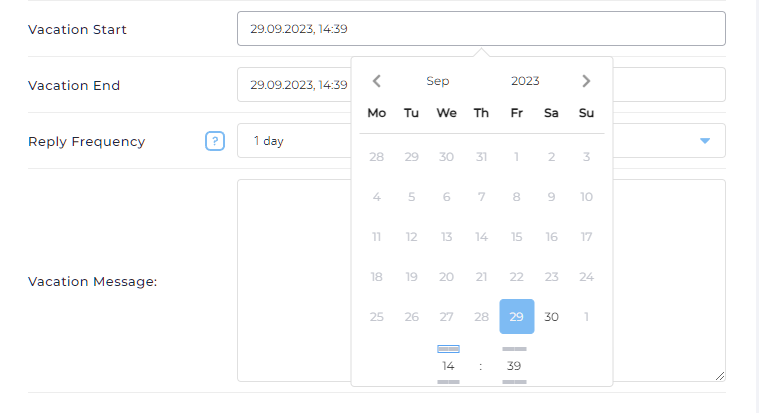
da build php_bz2 would rebuild bz2 extension for all PHP versions, while da build php_bz2 8.1 would only rebuild it for PHP 8.1.Due to framework version change we have been forced to change the date-picker components. This was an opportunity to improve overall look and feel of date pickers and keep consistent component looks across the project.
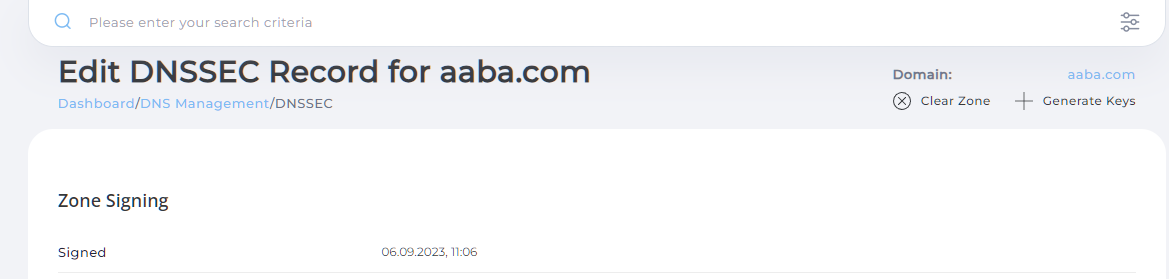
DNSSEC page used to have no indication of currently selected domain. It made it hard for admins and resellers see what domain is actually being modified.
The DNSSEC page was updated to include the currently active domain in the page header.
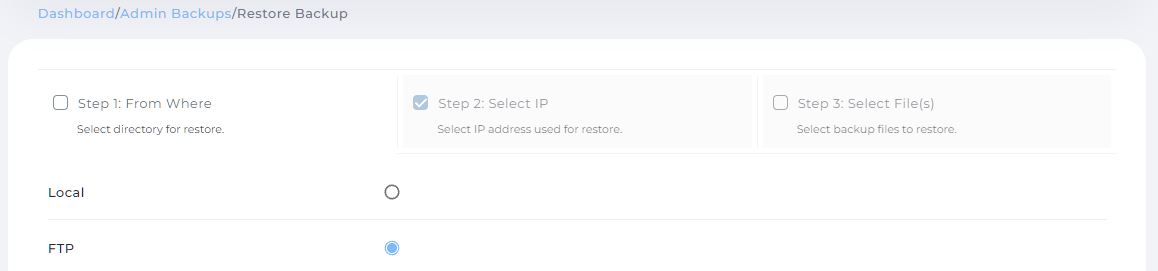
Multi step pages (for example restore backup) used to allow navigating to any step, even if previous steps contained data validation errors.
Such pages were improved in a way that if one of the steps is not finished, navigation to the next steps would be prevented.
Menu search results used to have no indication of access level they belong to. This lead to poor experience when searching for the pages available present in more than one access level.
It was changed by adding access level next to the page name.

Internationalized domain entries in search results are now displayed in unicode.
Active request indicator (narrow line at the top of the page when some data is being fetched) was improved to support customizable colors. From now on, it will use primary color for its background (blue by default). Customising primary color will change the request indicator color as well.
Sometimes tooltips could have been initialized without correct styling making them look like a transparent block.
Issue was fixed making sure correct styling is always used.
When a server has "Show all users" option enabled with in the "Multi-Server Setup" page, the "Show All Users" (/admin/users) page would display a list of all users on both the local and remote server.
It was updated so that clicking on remote server user link a new tab would be opened with user info page on remote server.
User input validation messages will not be shown as tooltips anymore, but instead will be shown below the input field.

Code editor component was updated to latest version and now supports editing large files.
Code editor no longer supports theming but it would adjust styles depending on dark or light mode being active.
When password change request fails it used to clear out entered data forcing user to fill the form from the scratch again.
Page was updated to handle such cases better.
ldap extension on PHP 5.6 and 7.0 custombuildfix Older Debian 10/11 and Ubuntu 18/20 systems with old PHP versions 5.6/7.0 failed to compile ldap PHP extension with error:
configure: error: Cannot find ldap libraries in /usr/lib.This release provides patches to compile extensions without issues.
Upgrading all software components with CustomBuild da build update_versions command would not execute /usr/sbin/cagefsctl --force-update and cagefsctl --remount-all on CloudLinux systems with cagefs enabled.
This version fixes the issue.
After a full server reboot and sometimes during normal operations starting a new redis instance on RHEL 7 systems could fail with error:
Main PID: 950 (code=exited, status=233/RUNTIME_DIRECTORY)It was caused by older systemd treating runtime directory create operation as critical failure. Issue was fixed by updating redis systemd service definition.
On affected systems rebuilding redis with da build redis is needed to install new version of redis systemd service file.
DirectAdmin using older DBMS such as MySQL 5.7 used to have an issue where database deletion was incomplete, leaving leftover data, causing database re-creation with the same name to fail.
This release resolves the issue so database deletion cleans up the data it previously used to leave.
On some systems restarting apache from letsencrypt.sh script might fail with error message in errortaskq.log:
2023:01:02-03:04:05: Error gracefuling service httpd : uid 0 gid 0 : /usr/bin/systemctl graceful httpd.service >/dev/null 2>/dev/null : returned 1All supported distros are now using systemd and supports reload operation for apache service. This release simplifies letsencrypt.sh logic for apache restart mode and always uses reload action.
In DNS Records tables, the Name column was showing domain names in ASCII encoding. It was changed to show values in Unicode.
When using phone or tablet with high resolution, header was missing making it hard to navigate between pages.
It was fixed and mobile mode header should be always visible.
Text inputs in the page were too small when user accessed the page on mobile device. User could type only a couple of characters before input would get overflown.
Now the inputs will be responsive to device size to improve the experience.
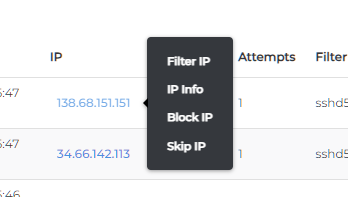
IP related actions that were visible when hovering on the IP column could get cut off by the table making them hard to access.
Page was updated to show IP actions on mouse-click.
Fixed default nginx unit app name in Standard layout.
After performing some table action (removing/modifying row) table would get reloaded.
Sorting logic was updated to make initial sorting and re-sorting after action use the same sorting rules.
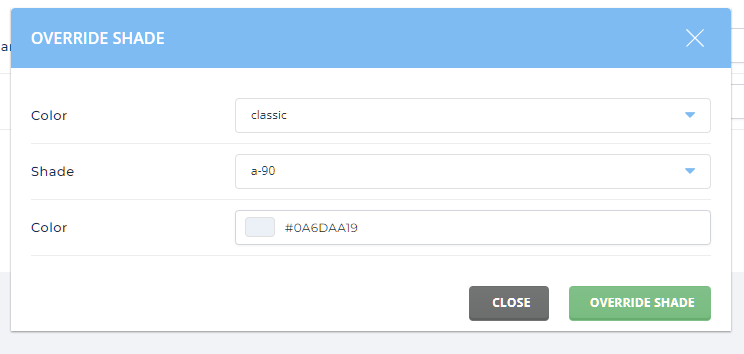
Override shade dialog was using incorrect name for classic layouts (Standard, Grid, Sidebar) causing errors, when trying to modify. Issue is fixed now.
"Add Option" input field was not working correctly on the SSH key edit page, when trying to add custom options like environment or command.
Page was fixed to correctly add key options.
Adding multiple plugin widgets in the Refreshed layout showed data only from last added plugin.
Issue is fixed to allow multiple plugin widgets to work independently.
Pluggable menus (ones provided by plugins) were not showing expand icon in Refreshed layout.
Issue is fixed, and plugged categories would look the same as built-ins.
On mobile devices language selector width could be too small when expanded. This can make it hard to see the language names and select appropriate language.
Language selector is improved to always be fixed width.
In the spamassassin configuration page, failed validation used to not show a red border around inputs used in "Whitelisted E-mails" and "Blacklisted E-mails".
If admin was trying to edit DNS Records for some domain returning back to the domain list and selecting different domain could lead to error That is not your domain.
It was caused by navigation mismatch between admin level DNS management page and reseller level DNS management page.
There should be no such errors anymore.
graceful_restarts option from directadmin.conf removal This option is always true on all DA supported systems. To make configuration file simpler it is completely removed.